
When someone questions whether you had permission to use a post, the Change Log is the record that answers it. It sits at the bottom of the post’s Rights Management submenu and shows the full, timestamped history of every rights action taken on that post.
Open the Change Log
- Open the post’s menu. Click the three-dot actions menu on the post.
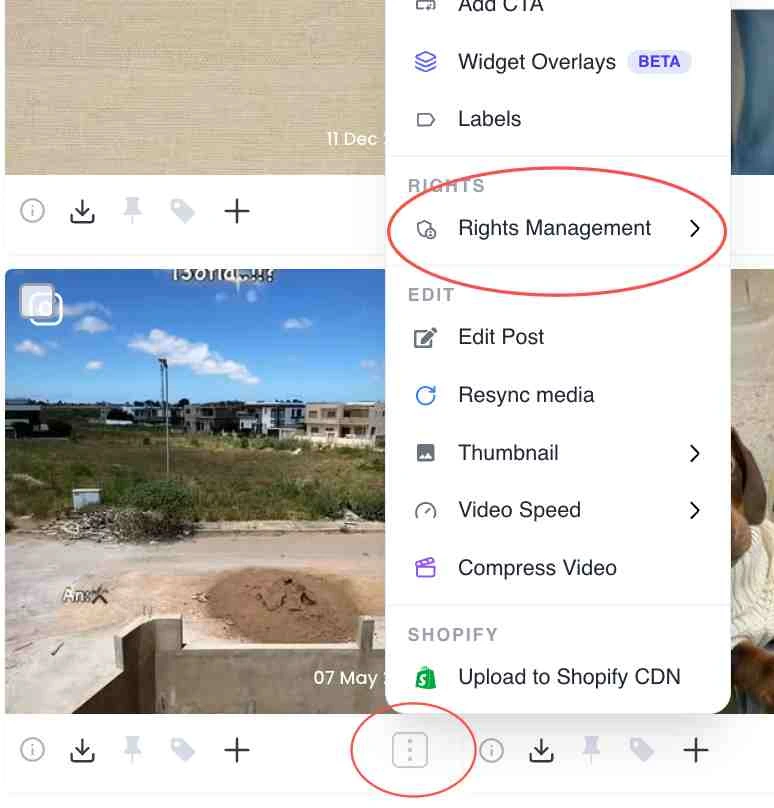
Three-dot actions menu on a post card - Expand Rights Management. Under the Rights section, hover Rights Management to open its submenu.
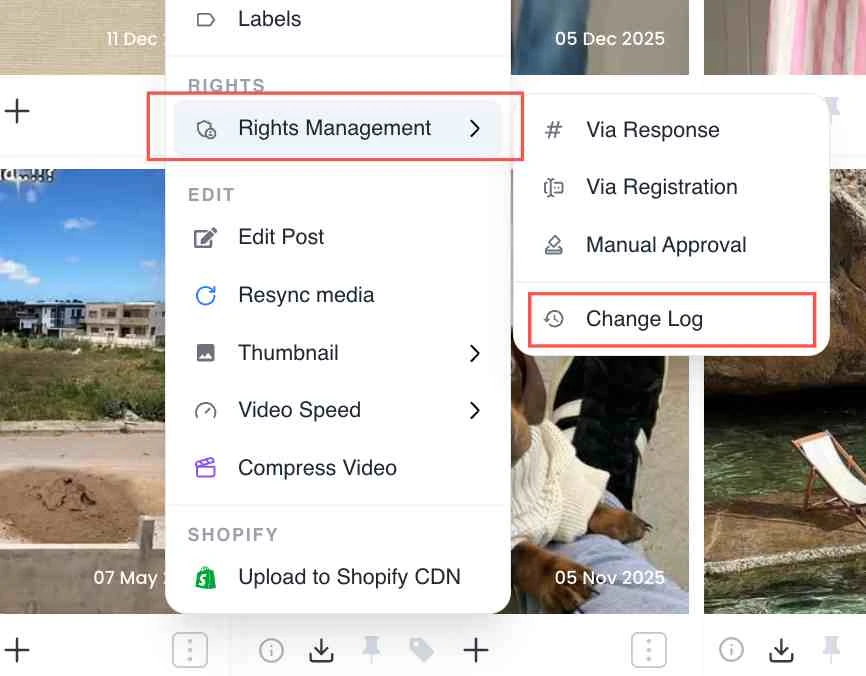
Rights Management submenu expanded under the Rights section - Click Change Log. At the bottom of the submenu, click Change Log to open the post’s rights history timeline.
Change Log option at the bottom of the Rights Management submenu - Read the timeline. The log shows the current status and a dated entry for each event, so you can see exactly when and how rights were requested, granted or revoked.
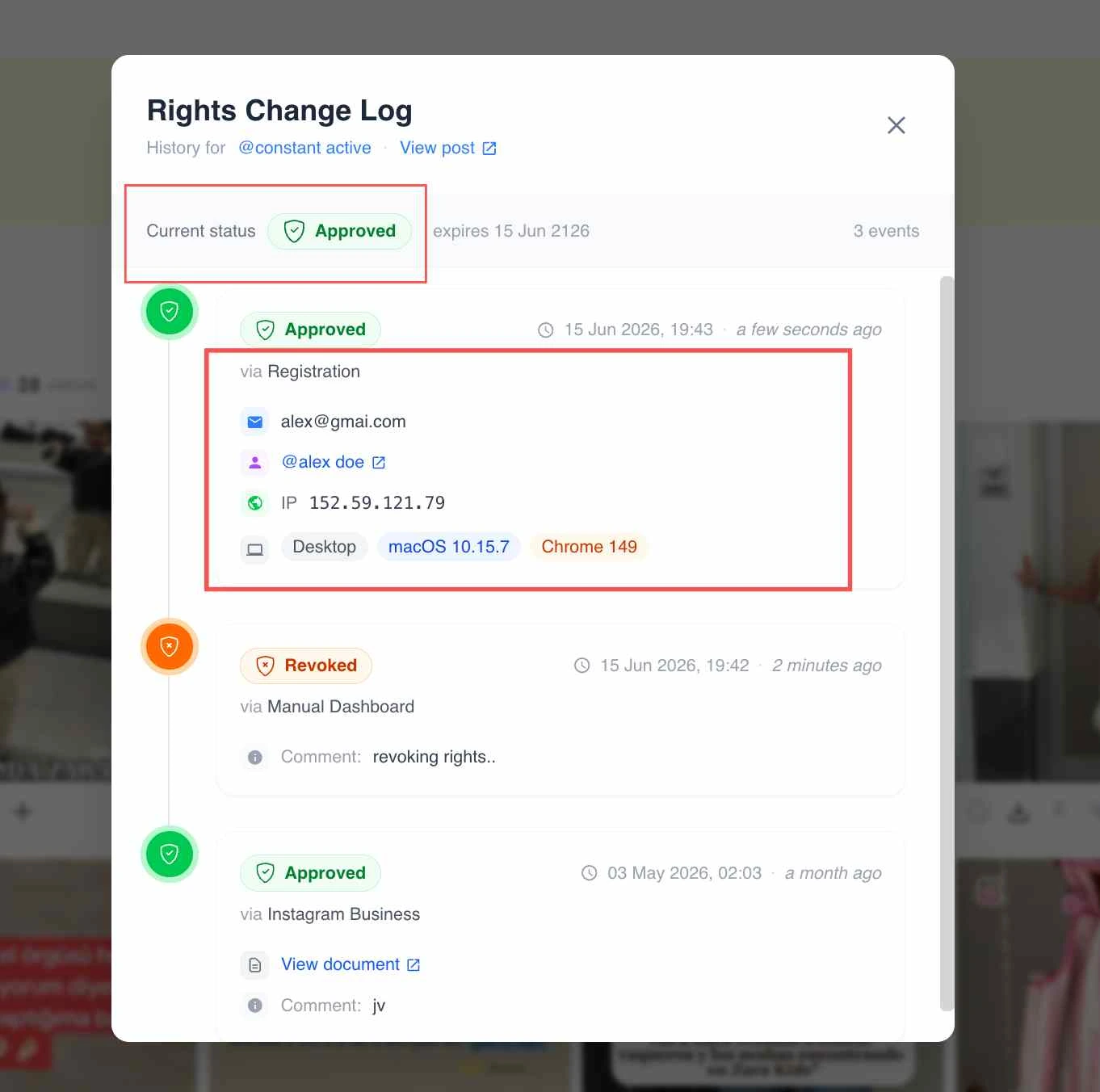
The rights Change Log timeline for a post
What the log records
- The post’s current rights status (for example approved, pending or revoked).
- A dated event for each action: requests sent, approvals, revocations and rejections.
- The mode used (Via Response, Via Registration or Manual Approval) where applicable.
Related guides
- Rights Management on a post: the four modes: /help/rights-management-on-a-post
- Consent logs and the audit trail: /help/consent-log-and-audit-trail
- Approve content and manage rights: /help/approve-content-rights


