
The order of posts is the order shoppers see them, so your strongest proof should lead. Idukki gives you a few ways to control order: a quick Move To Top, a dedicated tool for ordering pinned posts, and a sort that sets the default for everything else.
Set the order
- Promote a single post. To jump one post to the front, open its three-dot menu and click Move To Top under the Organize section.
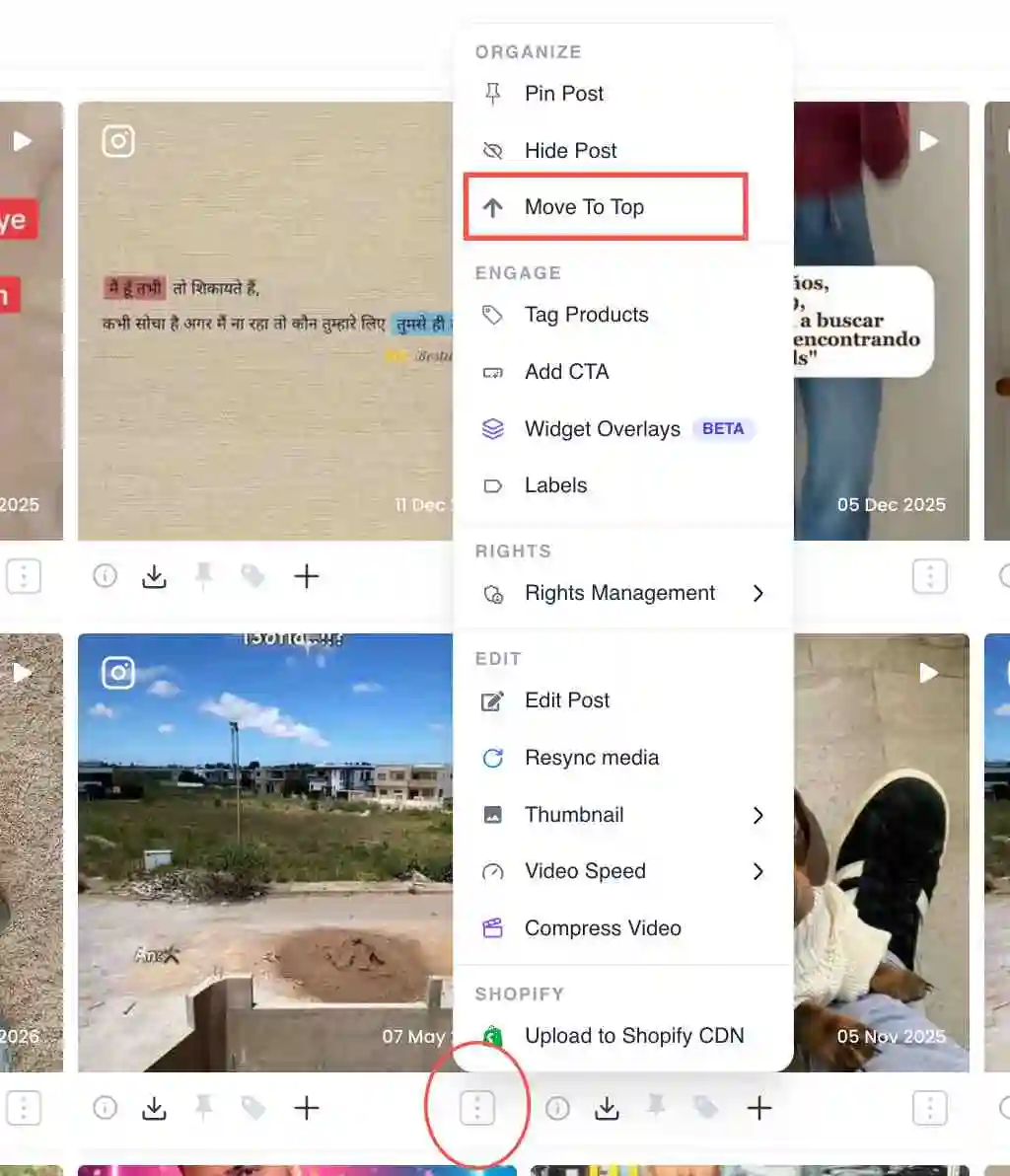
Move To Top option under the Organize section - Order your pinned posts. Pinned posts always lead the widget. Use the pinned-order tool to drag them into the exact sequence you want among themselves.
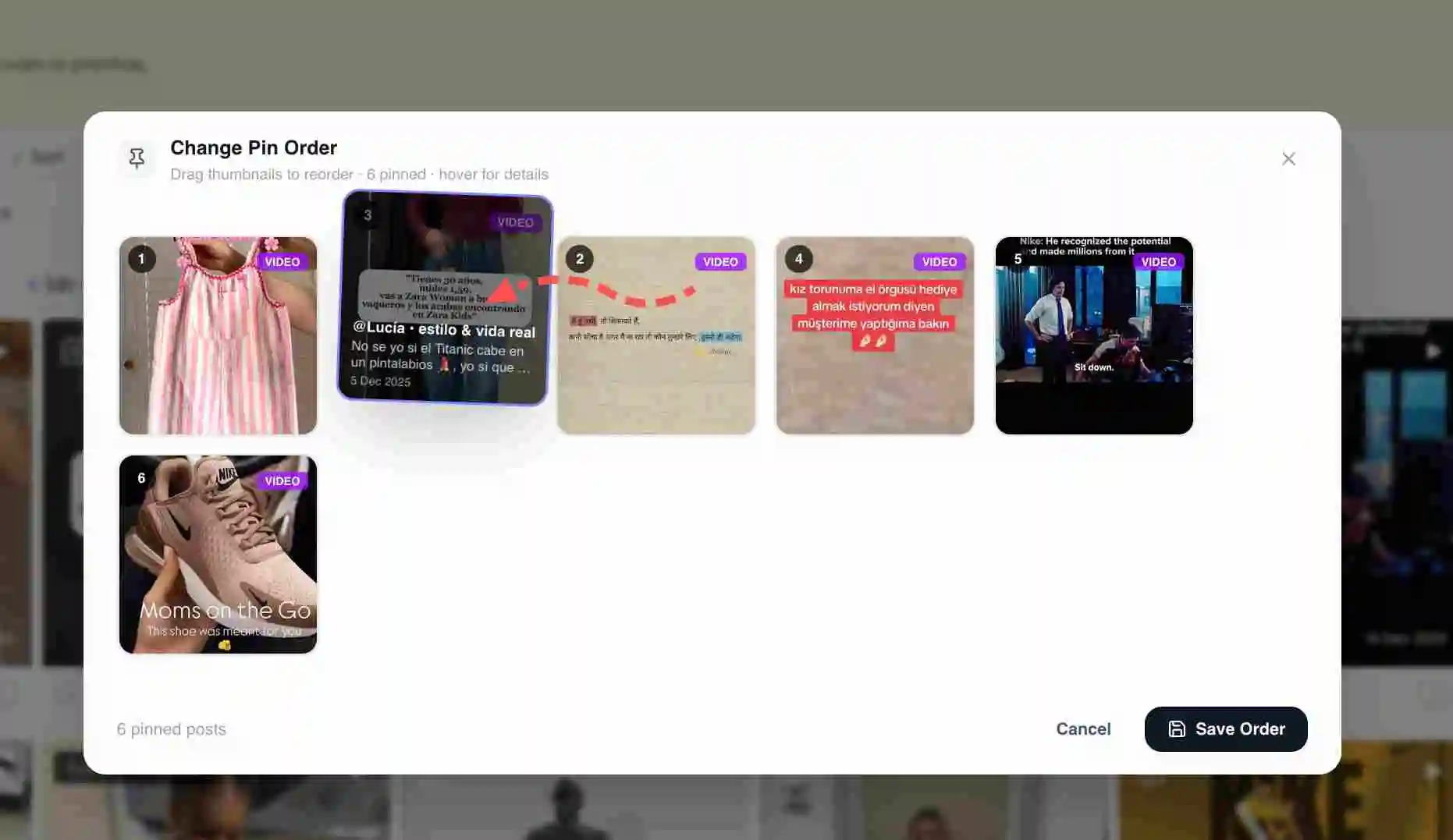
Pinned-order tool with draggable pinned posts - Set the default sort. For the unpinned posts, choose a sort (for example by engagement or by date) to set the default order behind your pinned ones.
- Preview. Preview the widget to confirm the order reads the way you intend on both desktop and mobile.
How the layers stack
Pinned posts come first, in the order you set with the pinned-order tool. Everything else follows in the sort order you chose. Move To Top is the fastest way to promote one post without changing the rest.
Reordering carousel slides
A carousel post has its own Reorder Slides action in the post menu, so you can drag the slides within a single post into the order you want.
Related guides
- Pin a post to the top: /help/pin-a-post
- Feature a post: /help/feature-a-post
- Hide or remove a post: /help/hide-or-remove-a-post


