
The fastest way to fill a collection is to import existing social content. Idukki pulls it in through the Add Feed dialog: pick a network, pick a feed type, enter a handle, hashtag or URL, and the matching posts flow into your collection and keep refreshing.
Import by username, hashtag or URL
- Open Add Feed. From a collection, click Add Feed. An empty collection shows a large Add Feed button in the centre of the page.
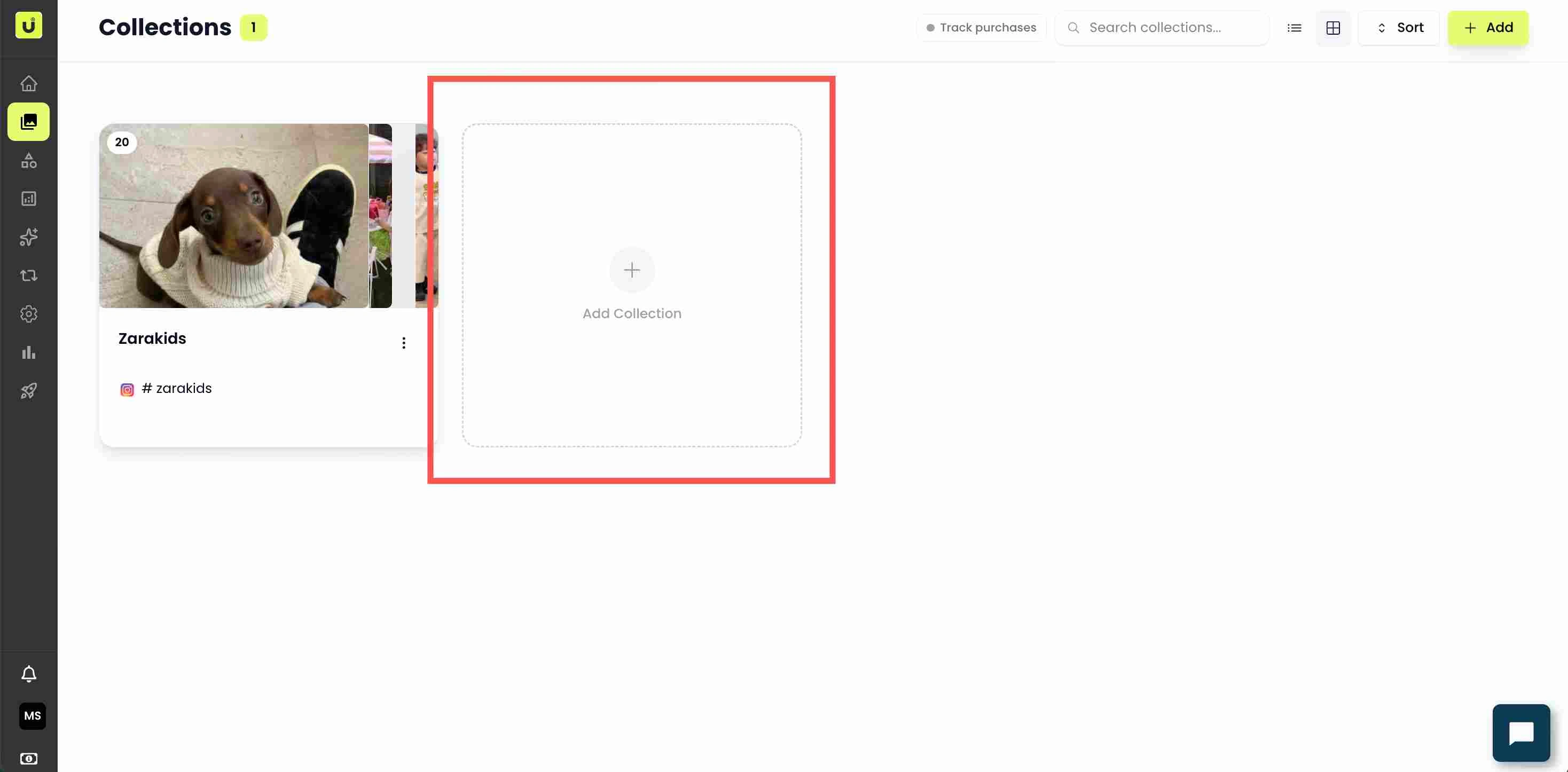
The Add Feed button on a collection - Choose the network. Pick the source on the left of the dialog: Instagram, TikTok, YouTube, X (Twitter), LinkedIn, Threads, Pinterest and more.
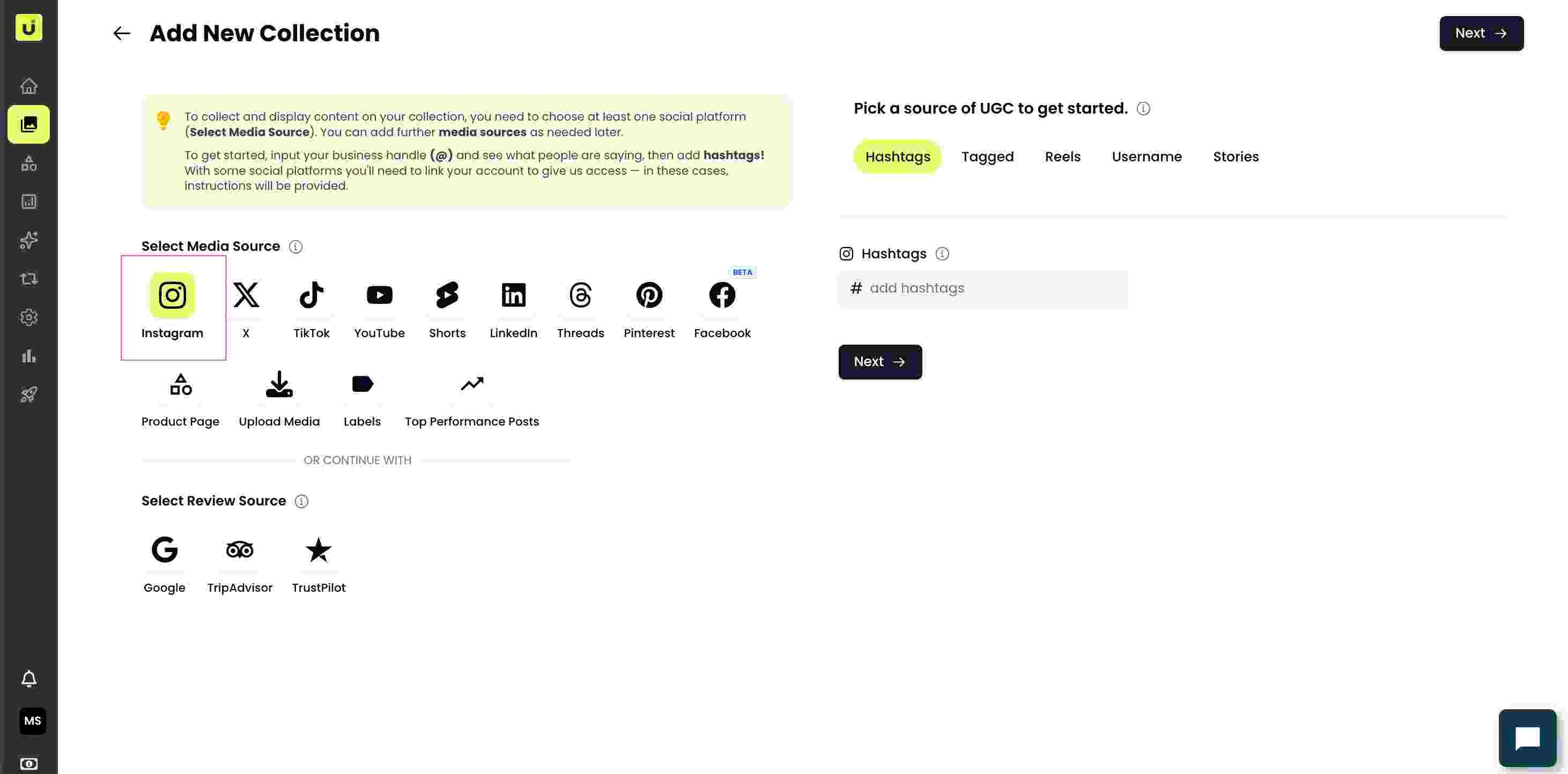
Network list on the left of the Add Feed dialog - Choose the feed type. Each network shows its own feed types. Instagram offers Username, Hashtag, Tagged, Reels and Stories. TikTok offers Username and Hashtag. YouTube offers Channel, Keyword and Playlist. X offers Username and Hashtag.
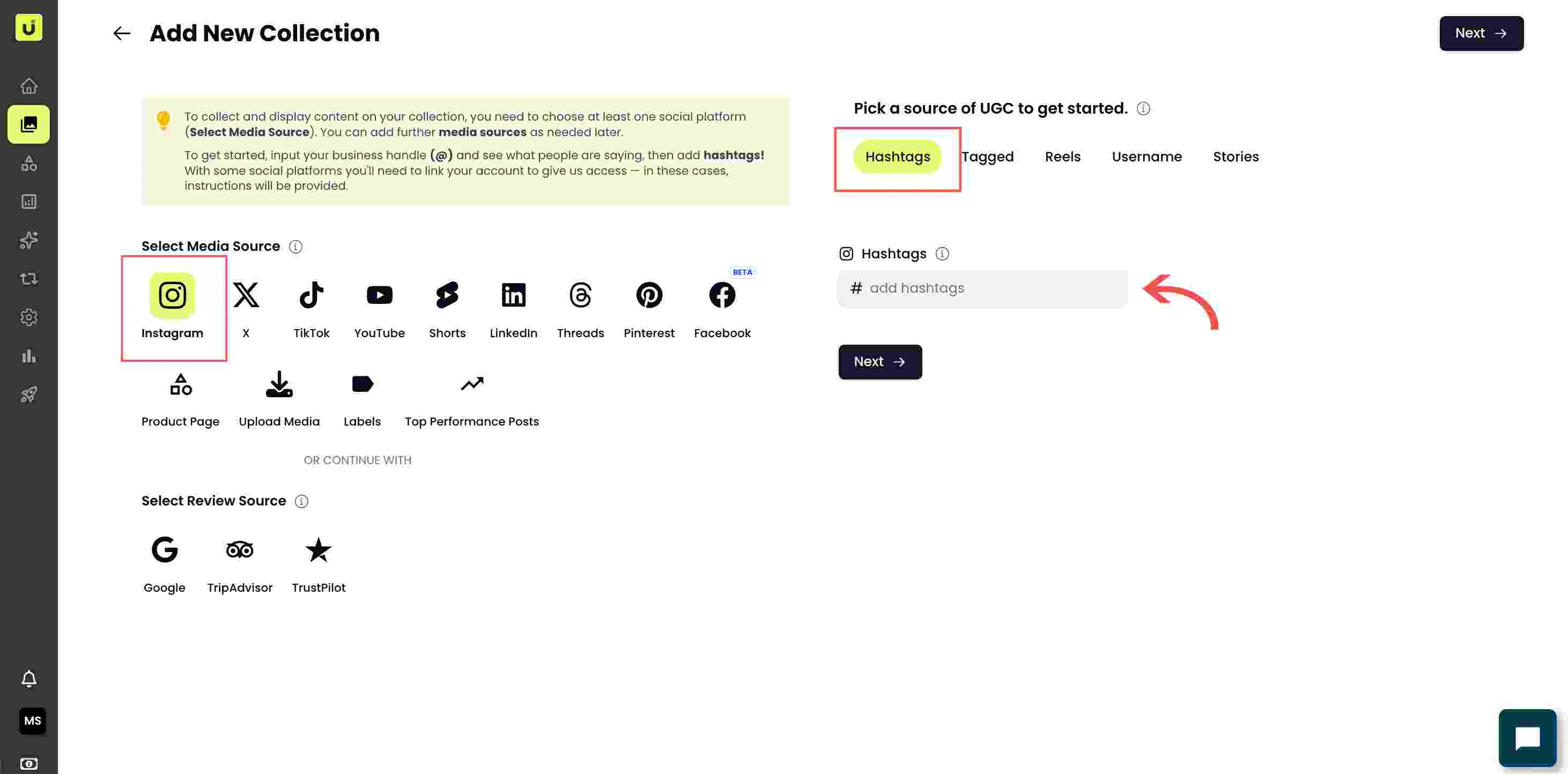
Feed type tabs for the selected network - Enter the value. Type the username without the @, or the hashtag without the #. For boards or review sites you paste the URL. The field shows a hint, for example "Please add username without '@'".
- Connect the account if prompted. Some networks (such as YouTube) require connecting the account first. A connection dialog opens; sign in and approve read access, then return to Add Feed.
- Add the feed. Confirm to add it. The first import runs in the background; the feed keeps watching for new matching posts, so the collection stays current on its own.
Common issues
If a feed returns nothing, confirm the account or hashtag is public and that you entered the value without the @ or #. If imports stop later, re-authorise the connected account, since platform tokens can expire.
Related guides
- Connect social sources (Instagram, TikTok, YouTube, X, LinkedIn, Threads): /help/connect-social-sources
- Connect review sources (Google, Trustpilot, Feefo, TripAdvisor): /help/connect-review-sources
- Upload content from your device: /help/upload-content-from-device


