
Tagging connects a post to the products it features so shoppers can buy what they see. AI tagging handles volume, but manual tagging gives you full control for hero posts, ambiguous shots or anything you want to be certain about.
Tag a post by hand
- Open Tag Products. In the collection, open a post’s three-dot menu and choose Tag Products under the Engage section.
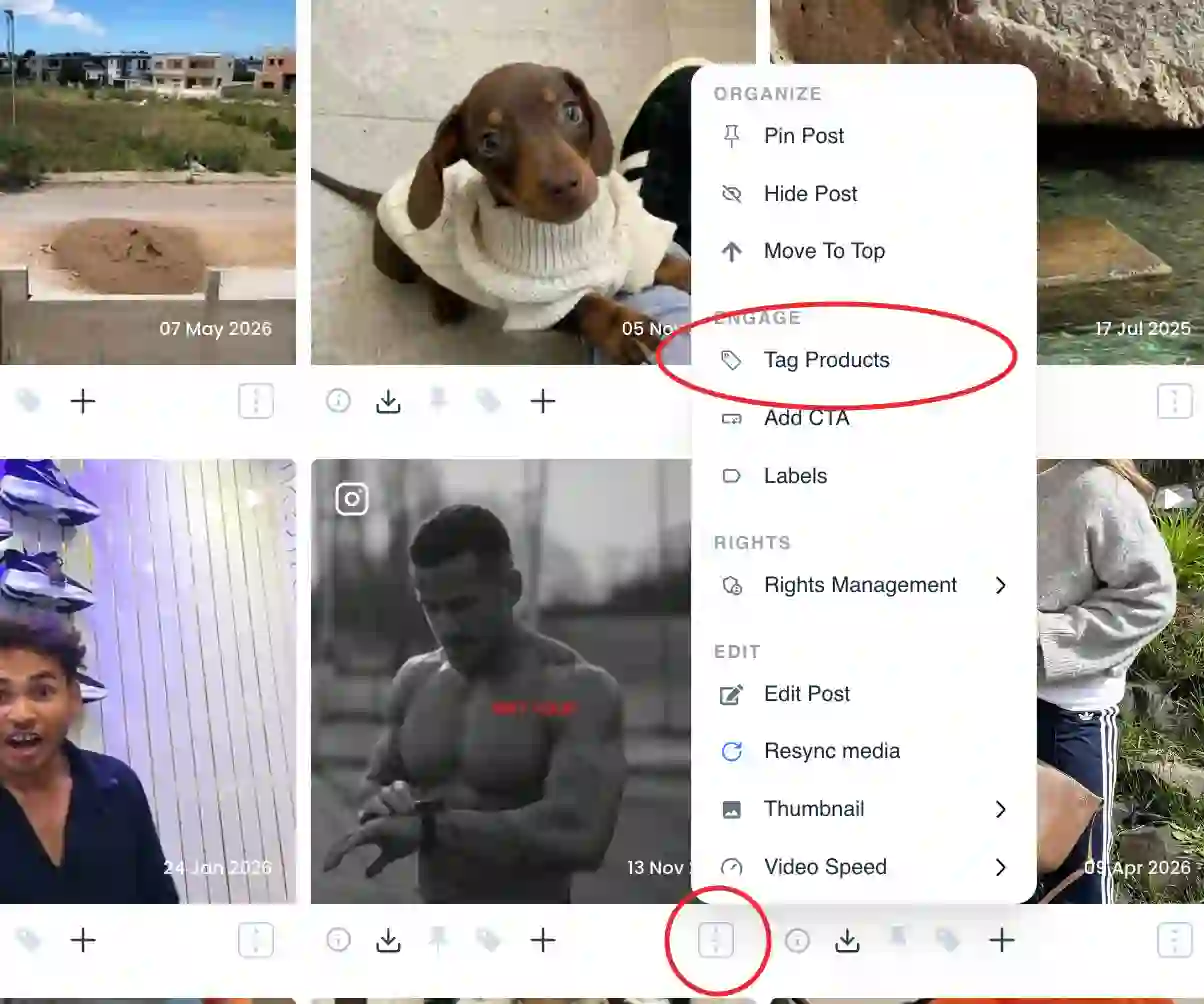
Tag Products option under the Engage section of the post menu - Choose Manual Tagging. In the Tag a product dialog, pick Manual Tagging. (You’ll also see Smart Assist for AI matching and Hotspot Tagging for clickable pins.)
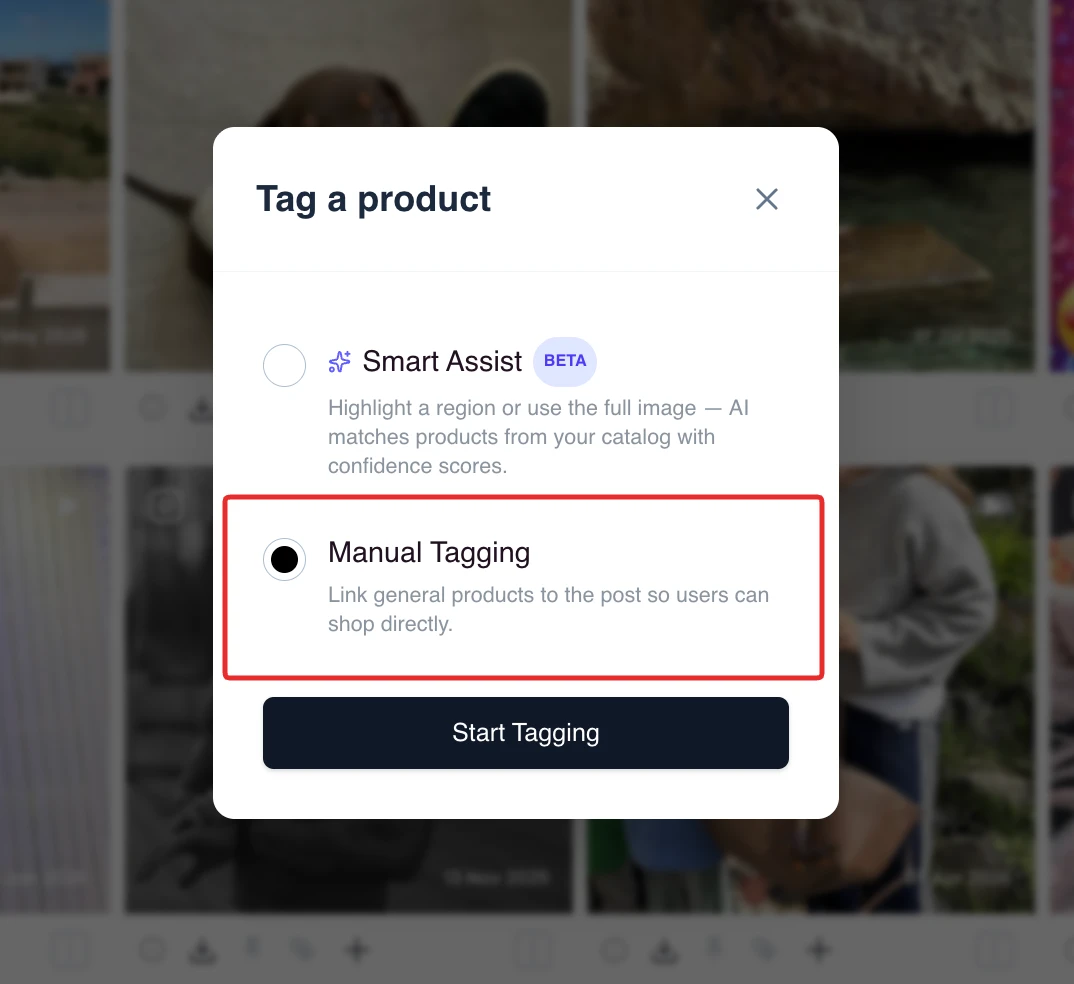
The Tag a product dialog showing Smart Assist, Hotspot Tagging and Manual Tagging - Search and select products. Search your synced catalogue and select the product shown in the post. Add more than one if several products appear.
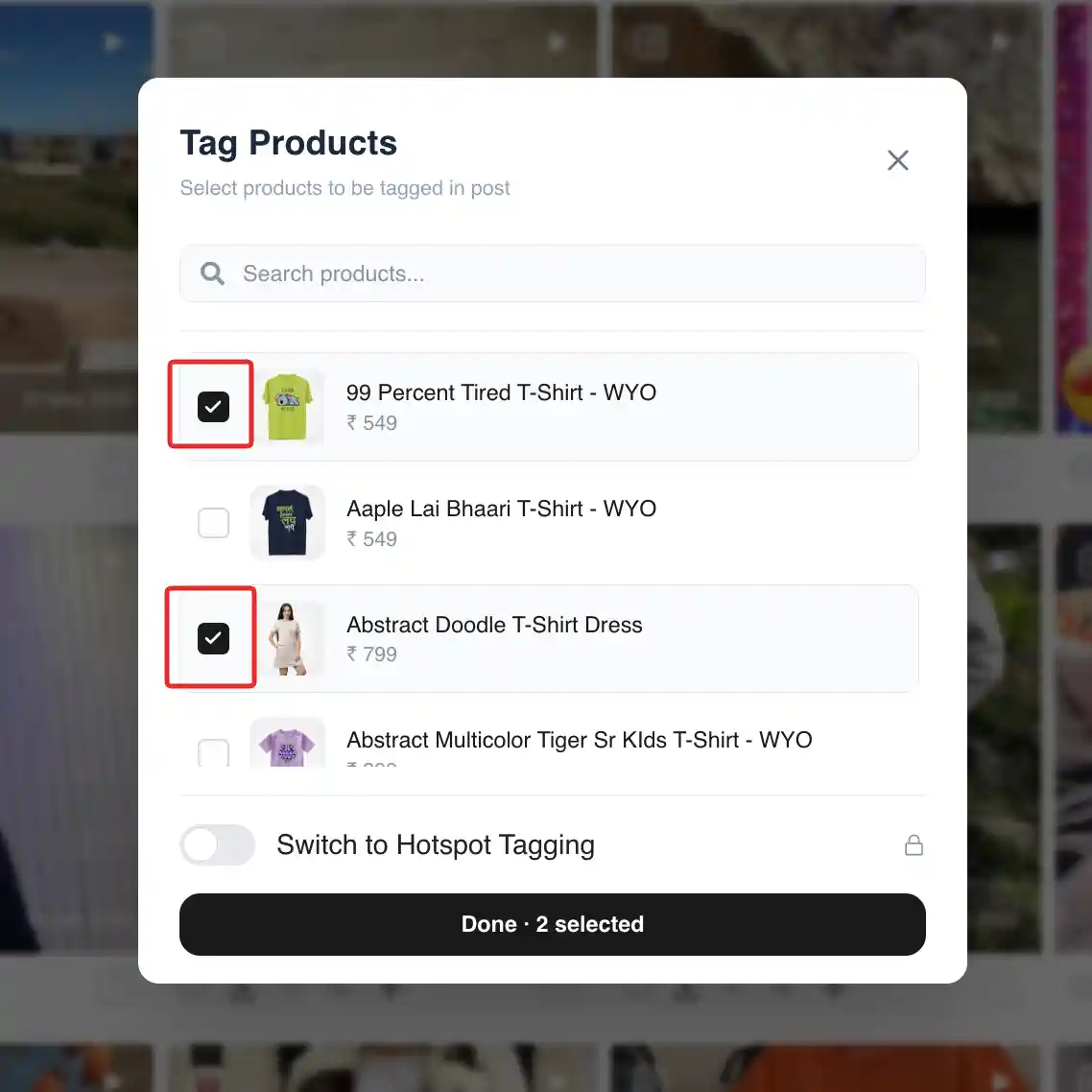
Product search and select list in the manual tagging dialog - Save. Save the post. The products are now linked, and the tile shows a shop or add-to-cart action so shoppers can buy directly.
Common issues
If a product isn’t in the search, re-run your catalogue sync and confirm the product is enabled in your store. If Tag Products is greyed out, product tagging is not available on your current plan. To find posts that still need tagging, filter the collection to untagged posts.
Related guides
- AI product tagging, how it works: /help/product-tagging-ai
- Add product links and hotspots: /help/add-product-links-and-hotspots
- Enable one-click checkout from UGC: /help/one-click-checkout-from-ugc


