
A collection is the curated set of posts a widget displays. Sources bring in everything; a collection is where you keep the good stuff and drop the rest. A tight, on-brand collection converts better than a raw feed.
Build a collection
- Open the collection. Open the collection you want to curate. Its posts show as a grid of cards, each with a three-dot actions menu in the corner.
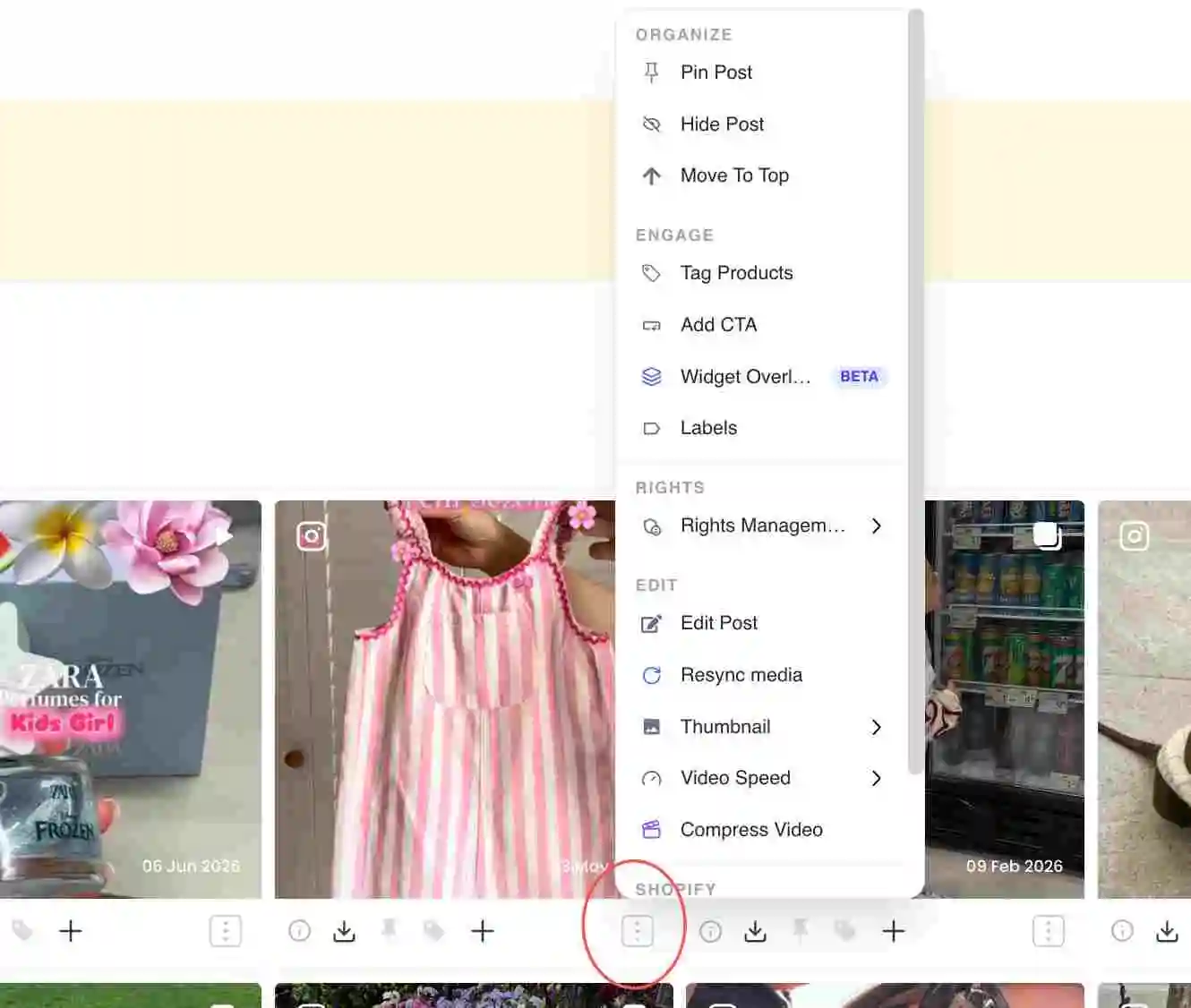
A collection grid with the three-dot actions menu on a post card - Filter the firehose. Use the filter controls to narrow by media type, creator, hashtag, rights status, pinned or hidden, tagged or untagged, sentiment, date and more, so you review a relevant subset instead of everything at once.
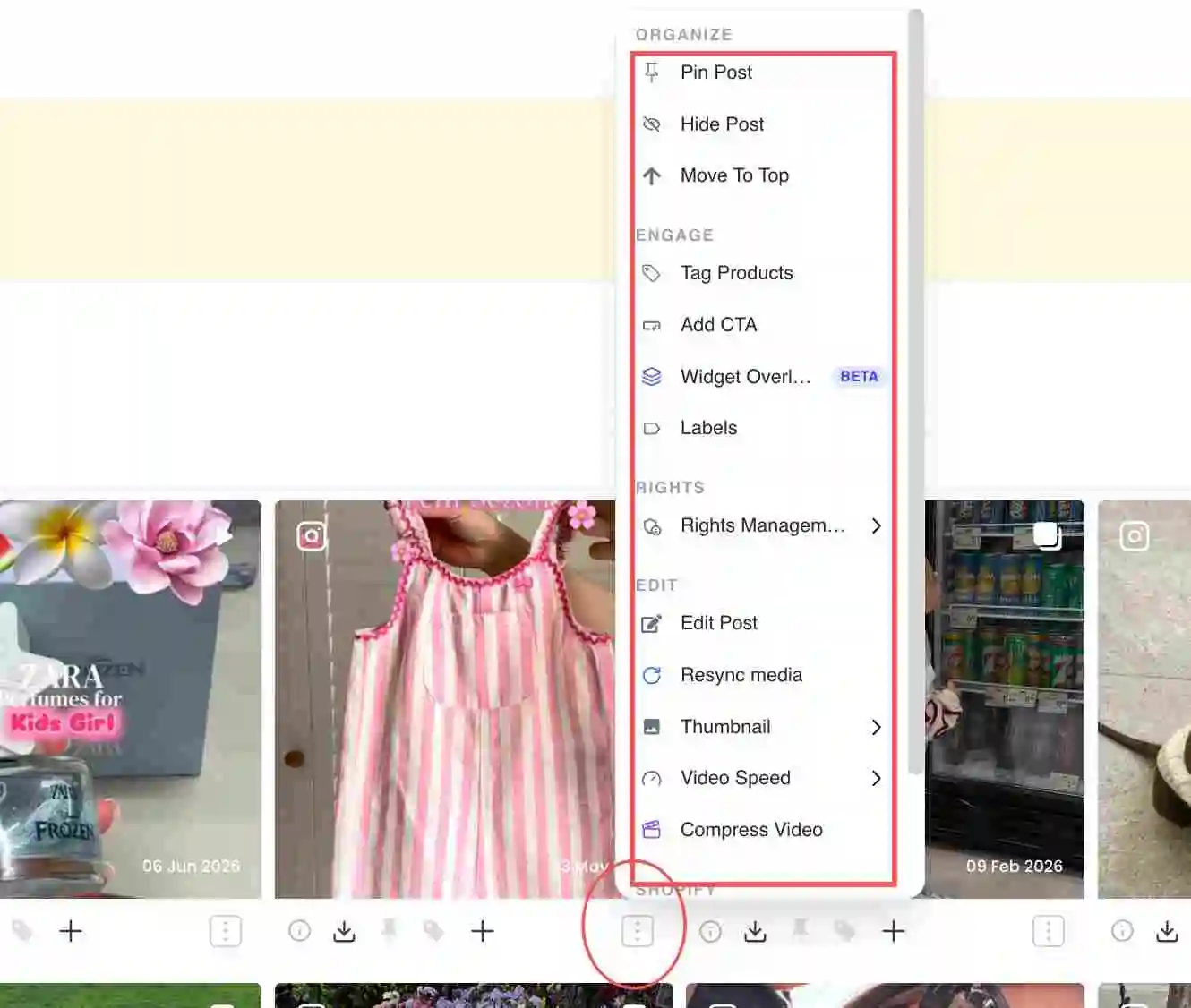
The filter bar above a collection - Curate each post. Open a post’s three-dot menu. Under Organize you can Pin Post, Hide Post and Move To Top; under Engage you can Tag Products and add a CTA; under Rights you manage usage permissions.
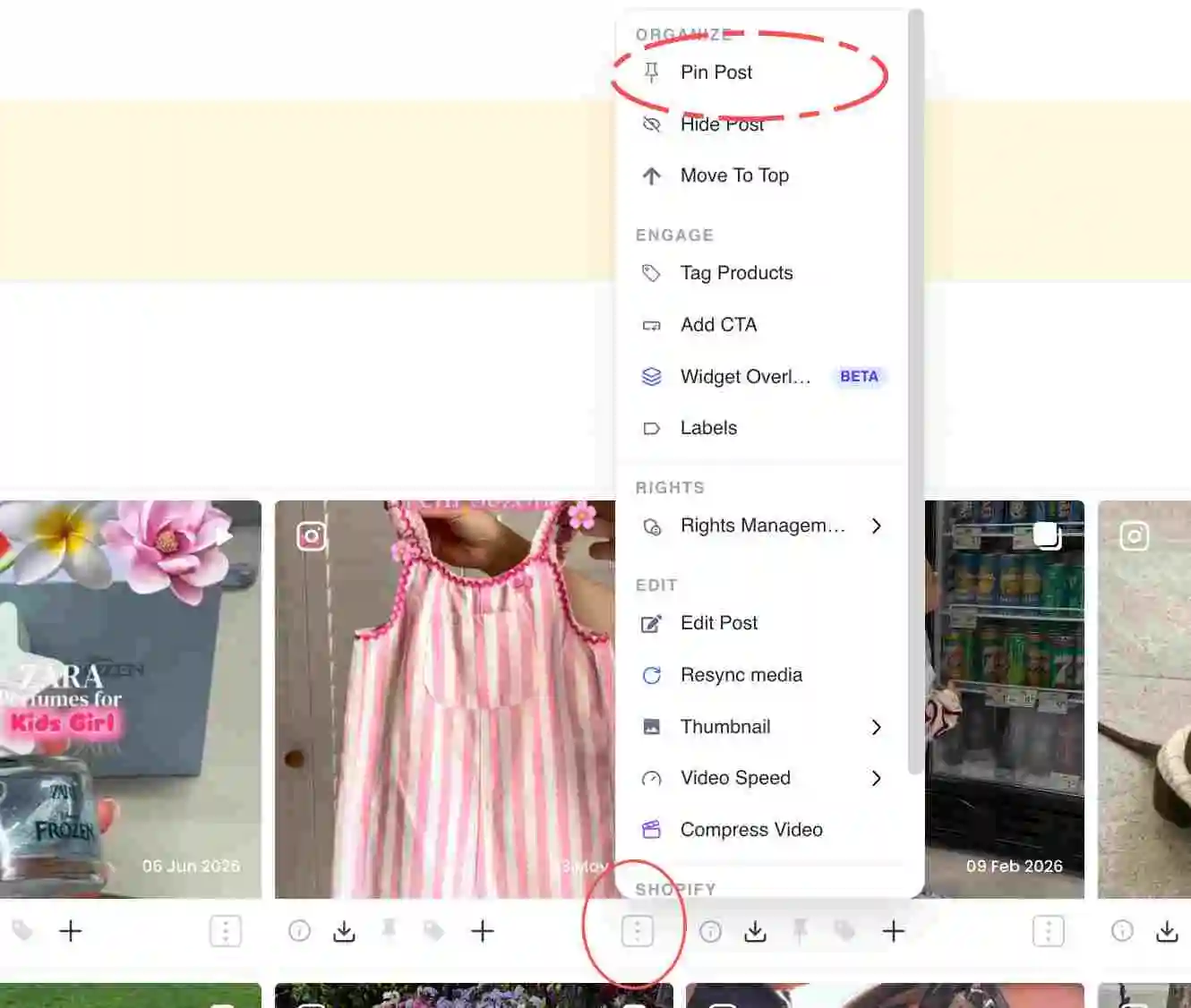
The post actions menu showing Organize, Engage and Rights sections - Order and pin a hero. Pin your strongest post so it leads the widget, then set the order of the rest. See the dedicated guides below for the exact pin and reorder steps.
- Save. Your changes save to the collection, and any widget pointed at it updates automatically.
The curation actions
Each post’s three-dot menu groups the actions you curate with. The headings below match what you see in the dashboard.
- Approve content: grant the usage rights that move a post from Pending to Approved so it can go live. See Approve content and manage rights.
- Pin Post: fix a post to the top of the widget regardless of date or engagement. See Pin a post to the top.
- Move To Top / feature: push a standout post to the front of the order. See Feature a post.
- Hide Post: remove a post from the live widget without deleting it. See Hide or remove a post.
- Reorder: set the exact display order, including the order of pinned posts. See Reorder posts in a collection.
Common issues
If a collection looks thin, widen the date range or add another source. If it feels noisy, tighten the filters or hide posts by hand. Curation is ongoing, so revisit it as new content lands.
Related guides
- Approve content and manage rights: /help/approve-content-rights
- Pin a post to the top: /help/pin-a-post
- Feature a post: /help/feature-a-post
- Hide or remove a post: /help/hide-or-remove-a-post
- Reorder posts in a collection: /help/reorder-posts


