
Approving content is how a post moves from Pending to Approved so it is safe to publish. The post’s three-dot menu has a Rights Management section that handles requesting, approving, revoking and auditing permissions in one place.
Reading the status
Each post carries a rights status. You can filter a collection by Approved posts or Pending posts to see what is cleared and what still needs action. Approved posts can go live; pending ones should not be published yet.
Approve, revoke or audit rights
- Open Rights Management. Open the post’s three-dot menu and expand the Rights Management section under Rights.
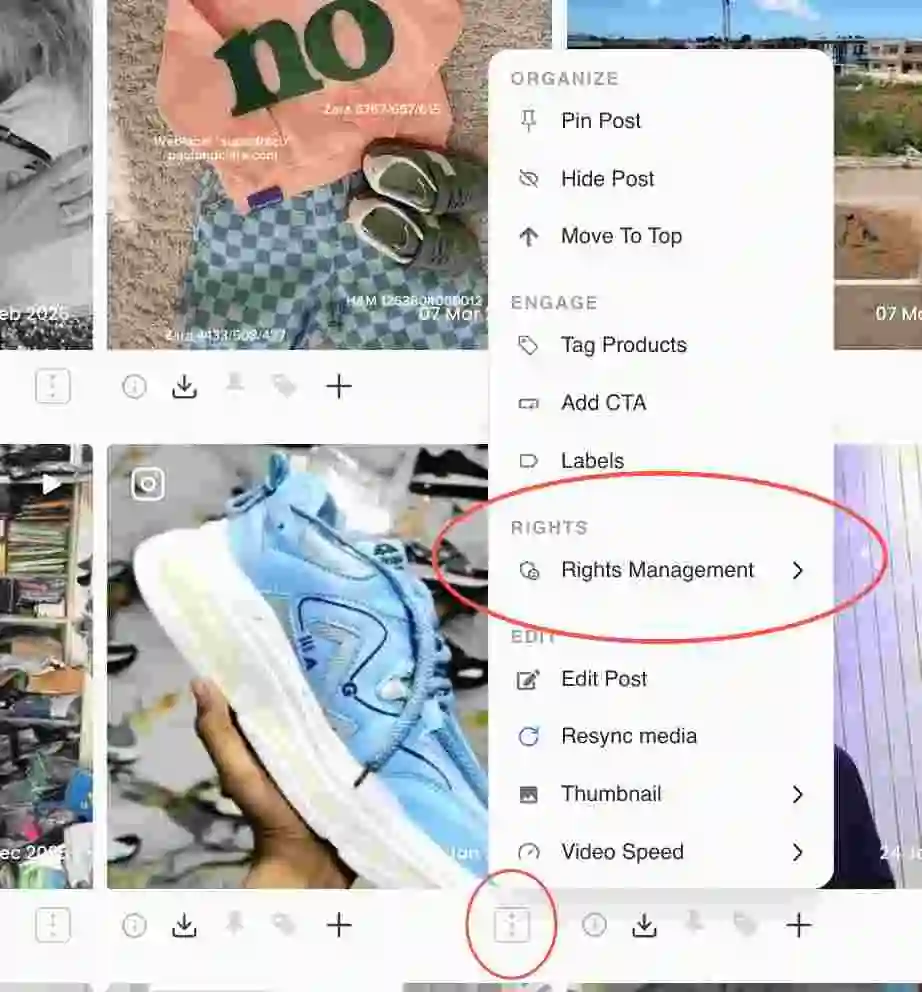
Rights Management section in the post actions menu - Choose how to clear it. Use Via Response to request rights through comments, Via Registration to send a rights form to the creator, or Manual Approval to approve or revoke rights yourself.
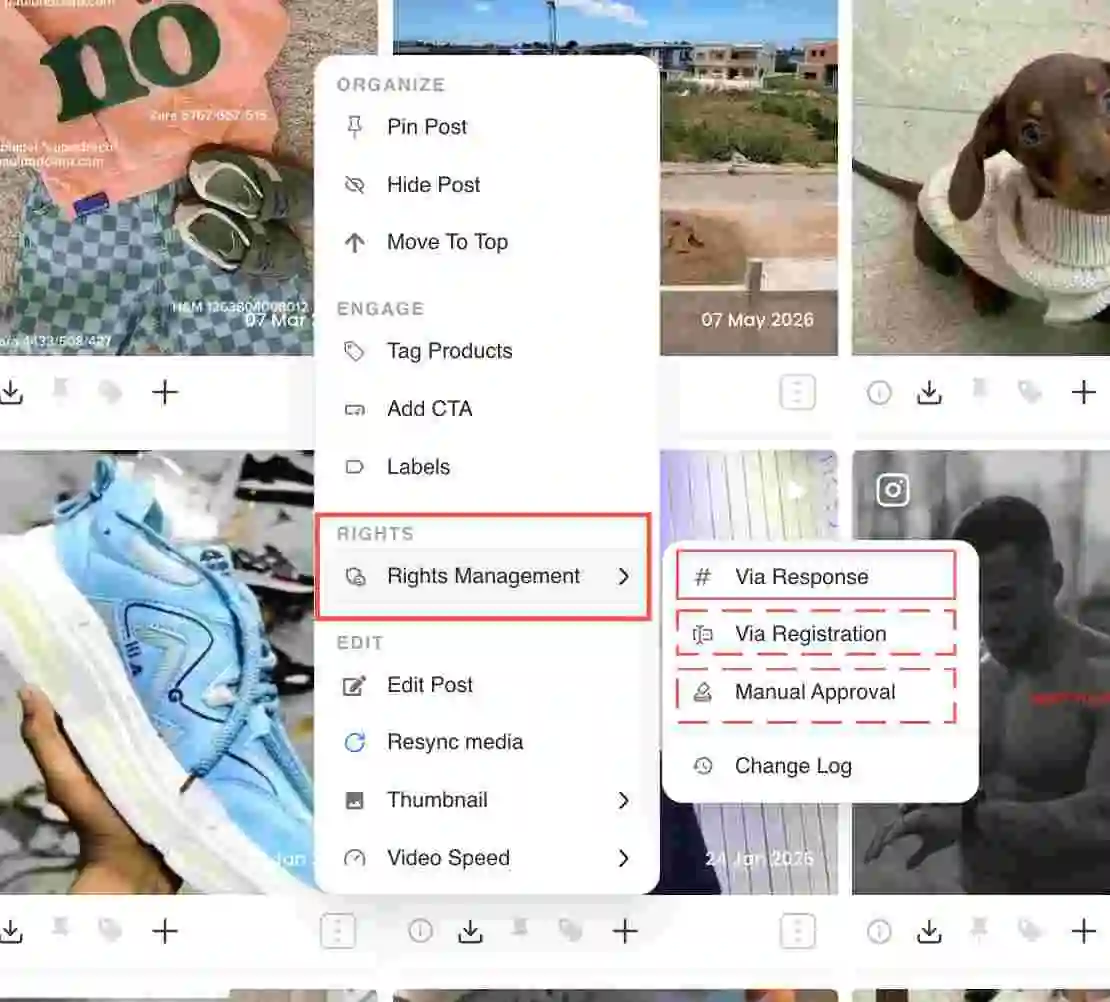
Via Response, Via Registration and Manual Approval options under Rights Management - Approve manually. For a post you have cleared yourself, choose Manual Approval to mark it Approved so it can be published.
- Revoke if needed. For an already-approved post, the same menu shows Revoke Rights, which removes the granted usage rights.
- Check the change log. Open Change Log to see the history of rights actions on the post, which is your audit trail if a use is ever questioned.
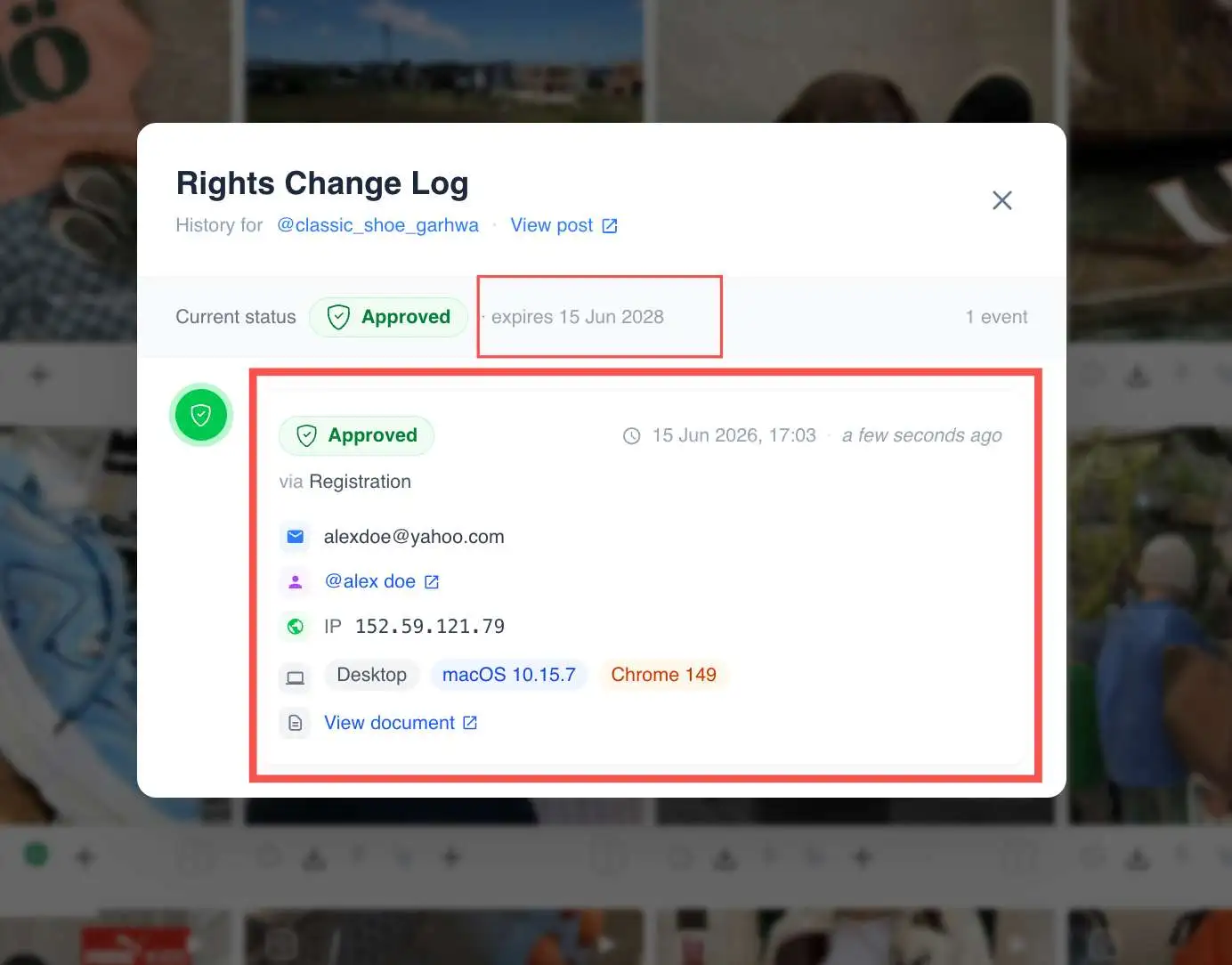
The rights Change Log for a post
Common issues
If a post is stuck on Pending, the request may not have been answered; re-send it or approve manually if you have permission directly. If you revoke rights on a live post, hide it from the widget until it is cleared again.
Related guides
- Request usage rights from a creator: /help/request-usage-rights
- Consent log and audit trail: /help/consent-log-and-audit-trail
- Hide or remove a post: /help/hide-or-remove-a-post


