
Featuring promotes a single post to the front of the order so it leads the widget. In the dashboard this is the Move To Top action: it jumps the post to first place in the current order without permanently fixing it the way a pin does.
Feature a post with Move To Top
- Open the post’s menu. Click the three-dot actions menu on the post you want to feature.
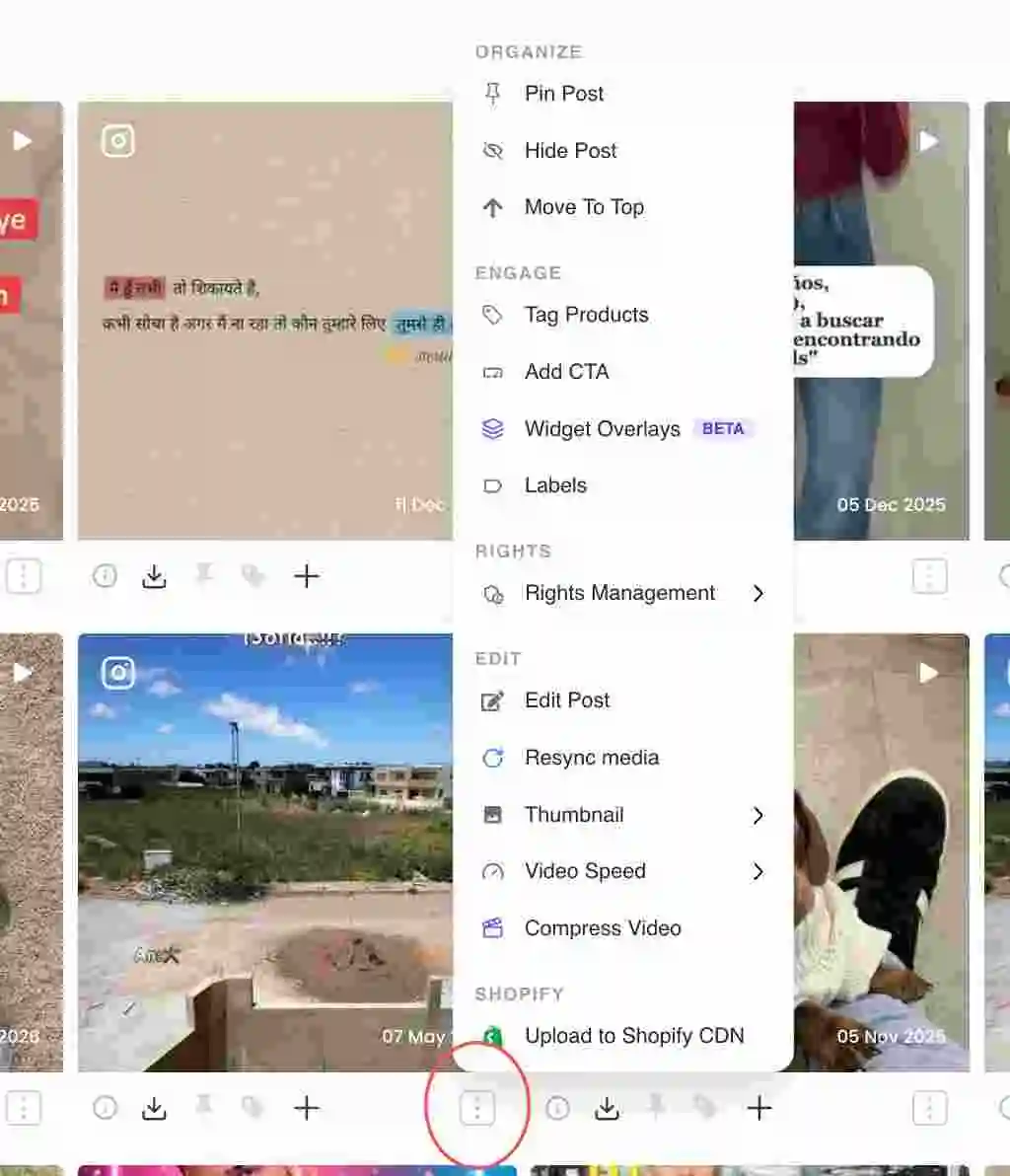
Three-dot actions menu on a post card - Choose Move To Top. Under the Organize section, click Move To Top. The post jumps to the first position and the menu confirms with a "Post moved to top" message.
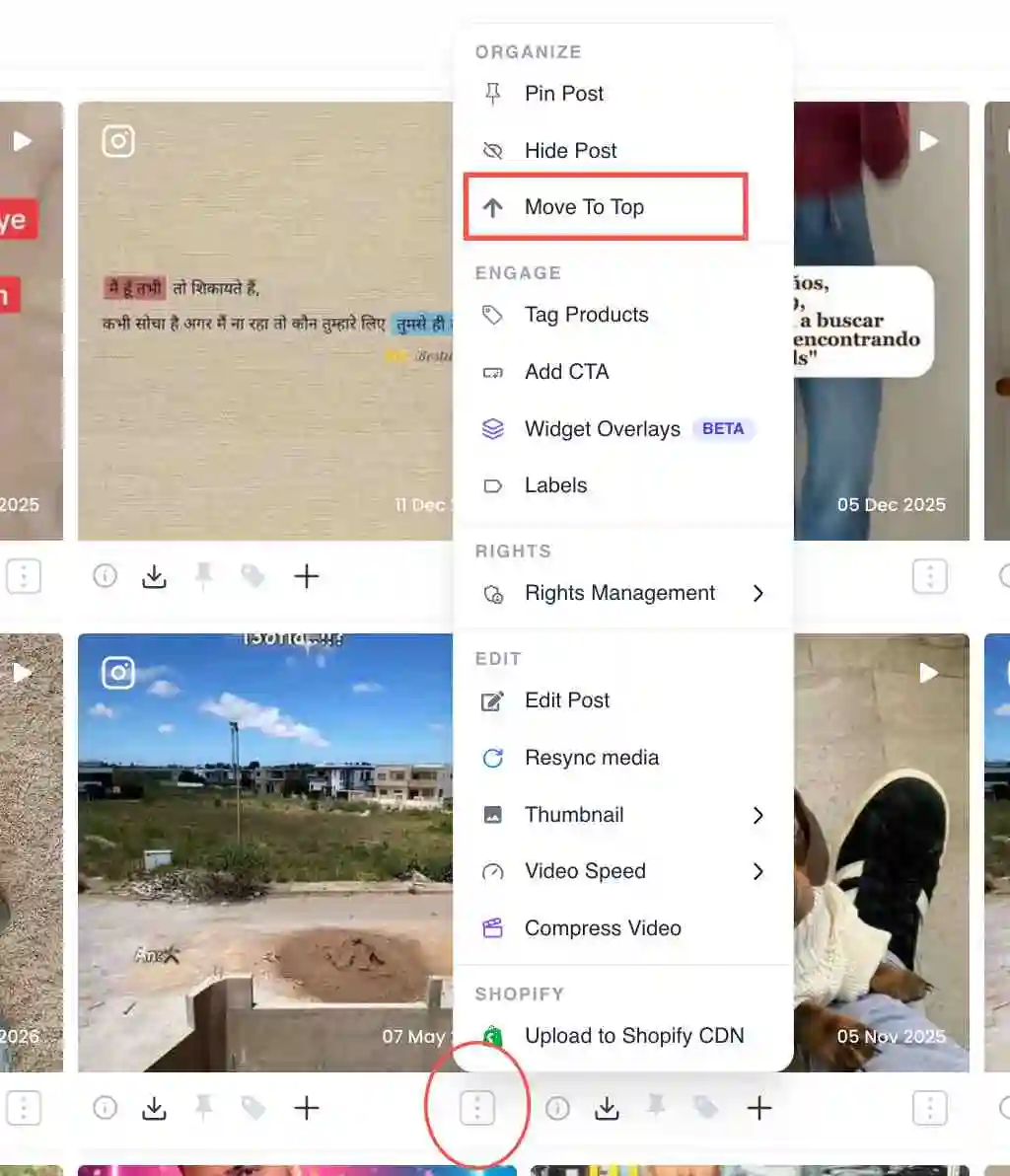
Move To Top option under the Organize section - Check the order. The featured post now leads the grid and the live widget. Repeat on another post if you want to change which one leads.
Featuring vs pinning
Move To Top reorders the post to the front of the current order. Pinning fixes a post above all unpinned posts regardless of sorting, so it stays at the top even as new content comes in. Use Move To Top to promote something quickly, and a pin when you want it to stay put.
Related guides
- Pin a post to the top: /help/pin-a-post
- Reorder posts in a collection: /help/reorder-posts
- Hide or remove a post: /help/hide-or-remove-a-post


